Anraku Tech

技術公開ページ / Tech publishing site
Quick Guide — MaxRecovery Timer for Apple Watch & iPhone
Last updated / 最終更新: 2026-09-28
🌐 言語 / Language: English / 🇯🇵 日本語
🐛 Report bugs & suggestions: Feedback form
1. About
Record hot phase → rest and your heart rate on Apple Watch, then review your heart rate recovery (HRR) on iPhone.
- Sessions are recorded on Apple Watch (the iPhone can’t record one on its own).
- The Afterglow Score (0–100) is a reference value based on how far your heart rate drops after the hot phase. It is not a medical metric.
2. Setup
- Install MaxRecovery Timer from the App Store. The Watch app installs automatically (if not, install it from the Watch app on your iPhone).
- On first launch, allow Health and Location (optional). On the Watch, tap I Understand.
- If your iPhone is signed in to iCloud, your history is backed up automatically (no setting needed).
- Choose your hot environment in the iPhone Settings tab → Hot phase → Hot phase environment (Warming Room, Hot Spring, Hot Bath, Hot Yoga, Infrared Sauna, Steam Bath, Sauna, Other; default: Warming Room).
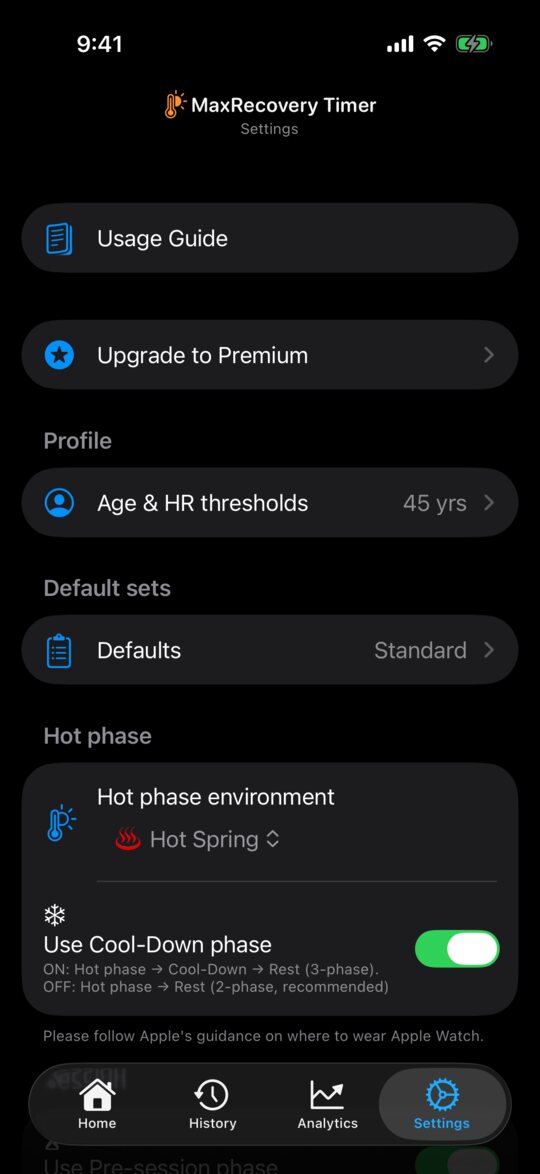
3. Start a session
Open MaxRecovery on your Apple Watch and tap Start Standard or Start Simple.
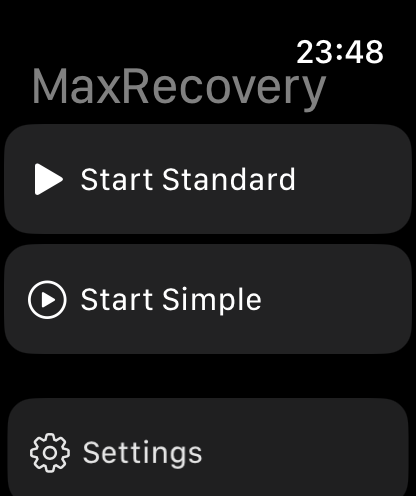
- Standard — each set is Hot phase → Rest. Add more in the iPhone
Settings tab:
- Cool-Down: Hot phase → “Use Cool-Down phase” (Hot → Cool-Down → Rest)
- Pre-session: Session → “Use Pre-session phase” (once at the start; no heart rate)
- Extra: Session → “Use extra phase” (after Rest in each set)
- Simple — no phases. Double Tap starts the next set.
4. During the session
| Action | What it does |
|---|---|
| Double Tap | Next phase (next set in Simple mode) |
| Digital Crown up | Pause / resume |
| Digital Crown down | End confirmation; turn down again to end |
| Screen tap (if enabled) | Same as Double Tap |
- Double Tap: tap the thumb and index finger of the hand wearing the Watch together twice (Series 9 / Ultra 2 or newer, or another supported model).
- To advance by tapping the screen, turn on iPhone Settings tab → Session → “Screen tap to advance phase” (off by default). It also works on Watches without Double Tap.
- While paused, Double Tap and screen taps do nothing.
- Phases never switch on their own. During the hot phase, the Watch vibrates when your heart rate reaches TH1 and TH2.
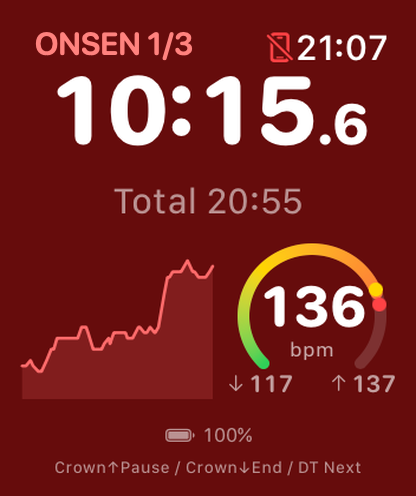
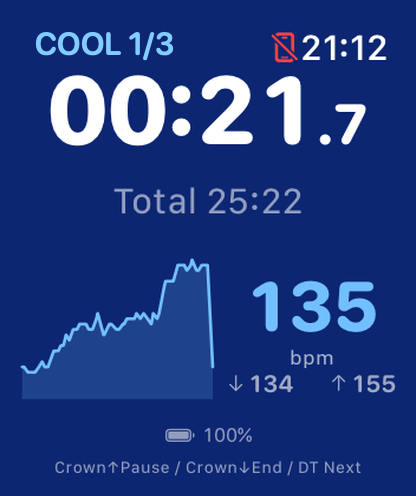
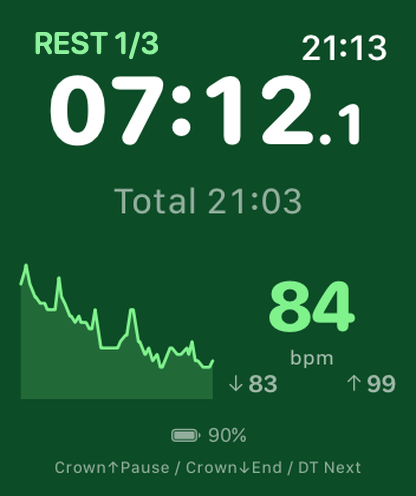
Hot phase, Cool-Down, Rest. The yellow and red dots on the gauge are TH1 and TH2
5. End the session
- Turn the Digital Crown down twice to end.
- In Standard mode, Double Tap during the final set’s rest opens “What’s next?”. Tap End or +1 set.
- Then pick 1–5 stars with the Crown and tap Confirm (Double Tap also works), or tap Skip. The session is saved and sent to your iPhone only at this point.
- After 60 minutes without input the session ends automatically. The rating screen still waits, so open MaxRecovery and confirm or skip.
6. Review on iPhone
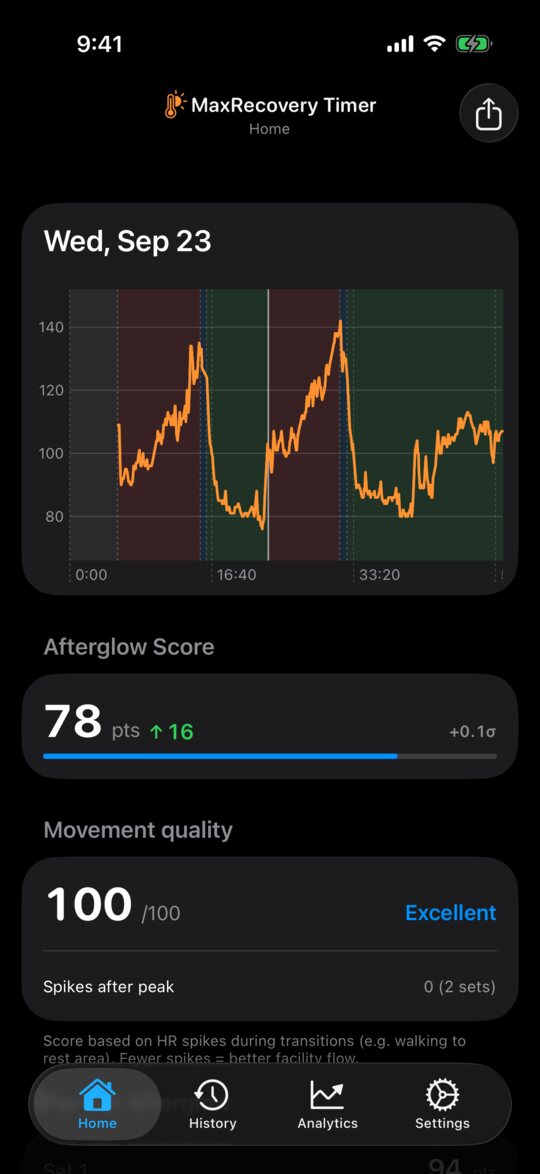
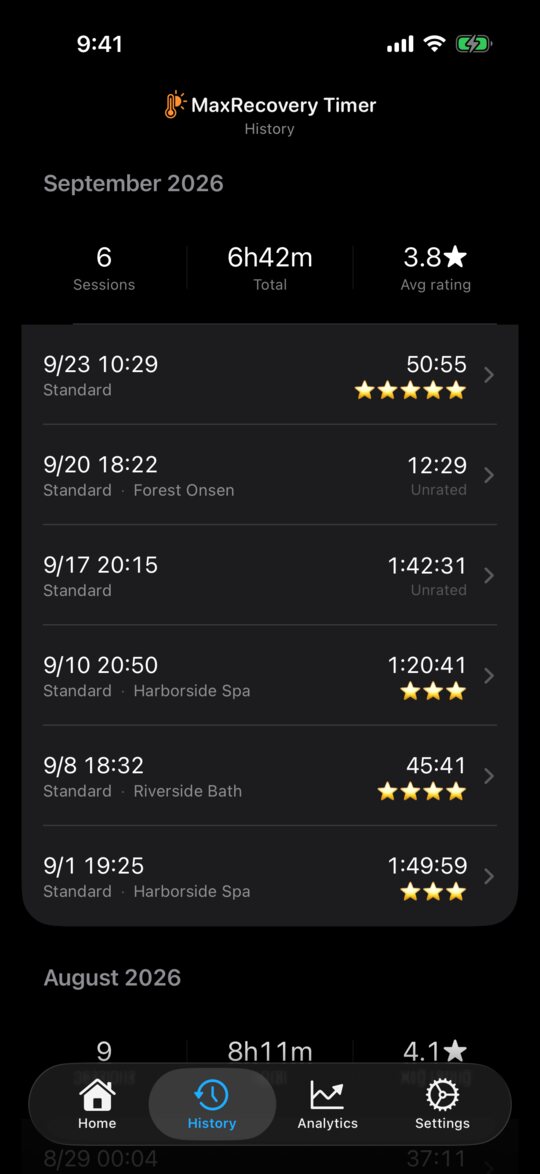
- History — tap a session for its heart-rate chart, Afterglow Score and per-set breakdown. Edit the venue and rating there.
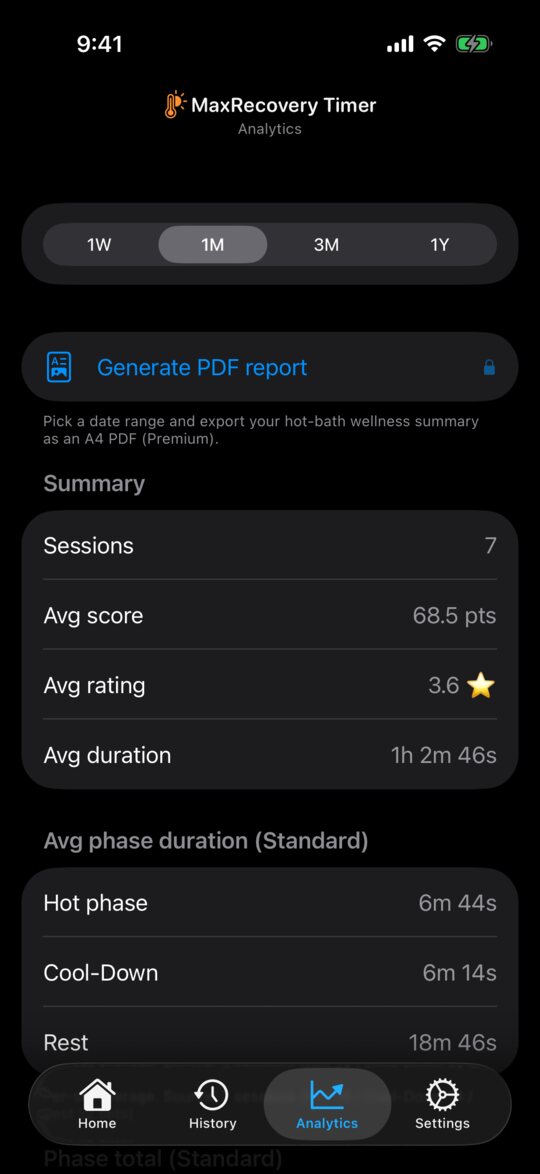
- Analytics — trends, calendar, streak, Top sessions, and the Venue map (sessions with a location only).
- PDF report (Premium) — Analytics tab → Generate PDF report → pick a period → Generate and share. Three A4 pages.
- CSV (Premium) — Settings tab → Data → Data export / import.
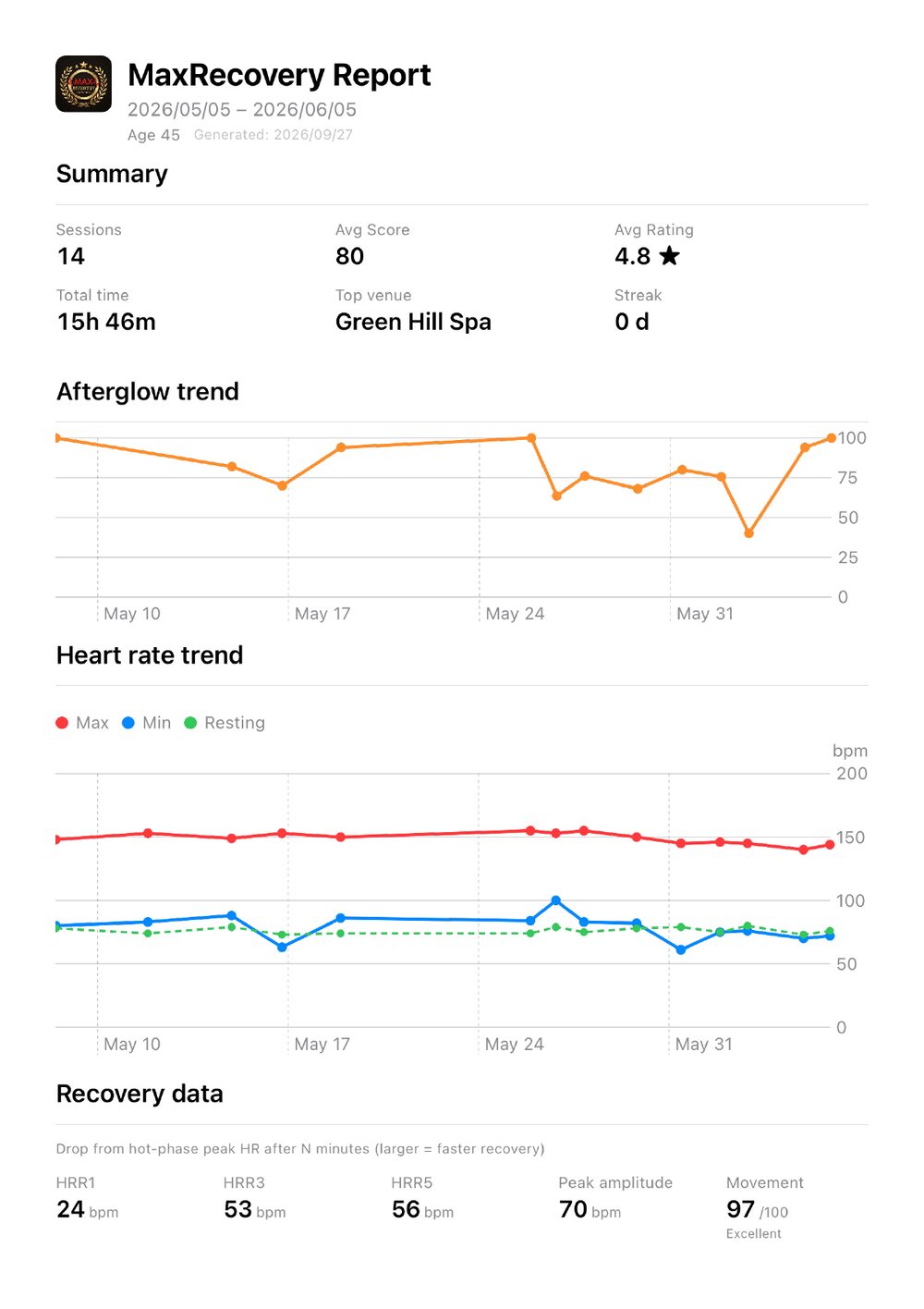
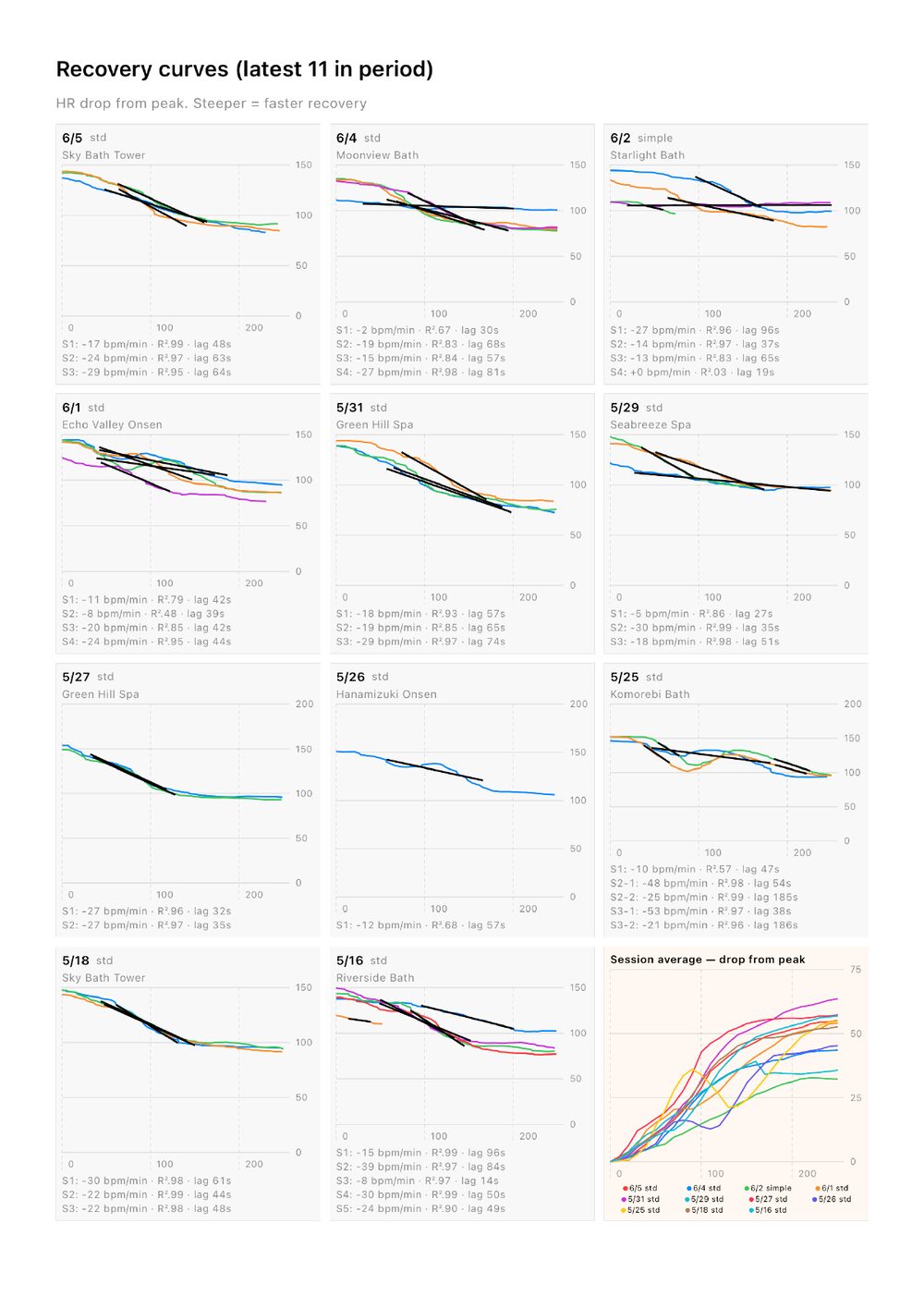
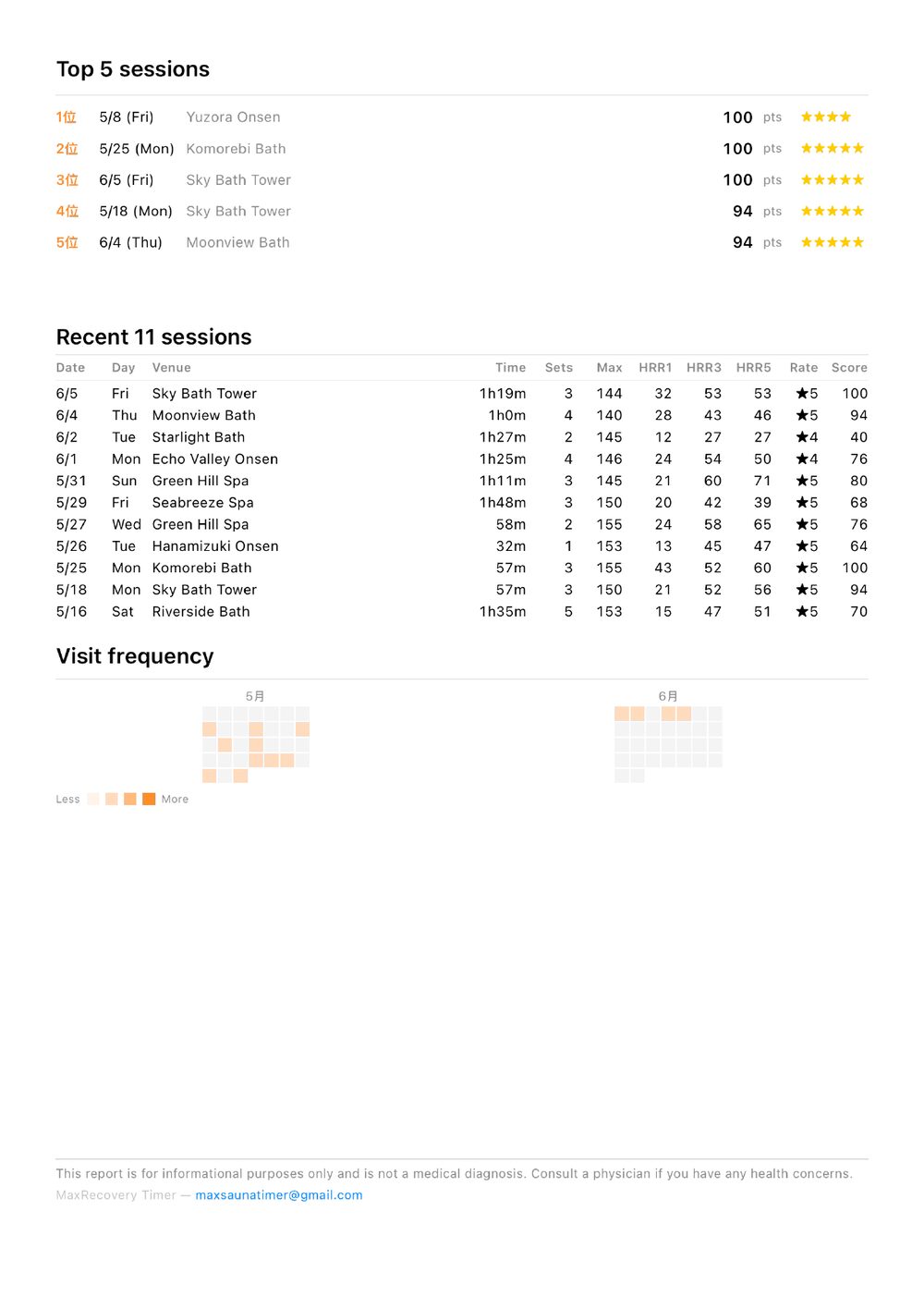
Sample PDF report (venue names are fictional; all 3 pages). Tap to enlarge
7. Tips
- Wear the Watch snugly for steady heart-rate readings.
- Add a venue name to show it on the Venue map and in Top sessions.
- Turn on moving-average lines for the heart-rate chart in Settings tab → Display.
- Choosing “Sauna” or “Steam Bath” shows a short note about where to use the devices. Follow Apple’s guidance for Apple Watch and iPhone.
- To save battery, turn off Always On on your Watch.
8. Example — 3 sets at a hot bath facility
Before you go, in the iPhone Settings tab: turn on the pre-session phase, choose your hot environment, and check that the set count is 3 (Default sets → Defaults).
- When you arrive, tap Start Standard (it begins in the pre-session phase).
- Entering the hot phase: Double Tap → Hot phase.
- Leaving it: Double Tap → Rest (with Cool-Down: twice, Cool-Down → Rest).
- Entering the next hot phase: Double Tap → next set. Repeat 3–4 until you enter the 3rd hot phase.
- After the 3rd rest, turn the Crown down twice to end, then confirm the rating.
That is 6 Double Taps in total (9 with Cool-Down).
9. Plank (optional)
Settings tab → Add-ons → Enable plank exercise adds a Plank tab.
- Countdown (1–30 min) — keeps counting bonus time after 0:00. Double-tap the bottom button to end.
- Count-up — runs until you double-tap to end.
- Start with MaxRecovery on your Watch’s screen to record heart rate too; the Watch saves it to Health as a Core Training workout.